

InstantDocs is here 🚀 Groove KBs will be deprecated on February 1st, 2026
Practical Guide: Moving from Groove KB to InstantDocs
Groove’s Knowledge Base has been used for years to publish help articles. It worked well for simple documentation needs, but it was not designed for the volume, speed, or formats modern SaaS teams now use. InstantDocs replaces the old KB with a faster editor, better organization, integrated video tools, and built in automation.
This guide explains what is different, why the change matters, and the exact steps for teams moving from Groove KB to InstantDocs.
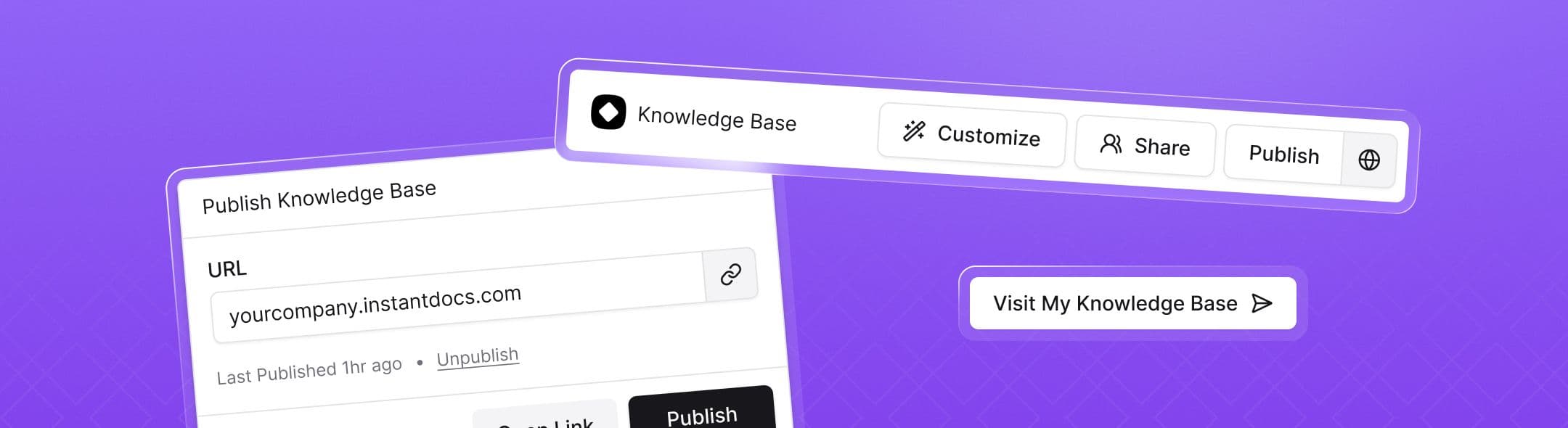
What is InstantDocs
InstantDocs is a standalone documentation system that replaces the old Groove KB. It includes:
• A block based editor for articles
• A built in screen recorder that converts recordings into written guides and videos
• A full knowledge base that supports custom domains and branding
• Automated suggestions when content becomes outdated
• Built in analytics and search reporting
• AI assisted drafting for articles created from tickets or recordings
It is designed to remove manual steps in creating and maintaining support documentation.
Key Improvements: What Makes InstantDocs Special
1. Faster content creation
You can record your screen or upload a support ticket. InstantDocs generates a formatted article and video automatically. This reduces the time required for new documentation.
2. Easier editing and organization
The editor uses blocks similar to Notion or Google Docs. Articles, collections, and sub collections support drag and drop organization. No separate tools are required for screenshots or formatting.
3. Built in knowledge base
InstantDocs includes a full KB that you can publish publicly or privately on your own domain. This removes the need for external tools like GitBook or HelpJuice.
4. Automatic accuracy checks
InstantDocs flags articles that may be outdated based on product changes or recent support tickets. This helps teams keep documentation current.
5. Improved search
Search uses semantic matching instead of relying on manual tags. Customers can enter natural language questions and get more accurate results.
6. Analytics included
You can view article performance, search queries, and user feedback directly in InstantDocs without setting up Google Analytics.
7. Centralized access control
Support both public and internal documentation, with optional SSO or SAML for enterprise teams.
What's Changed With InstantDocs
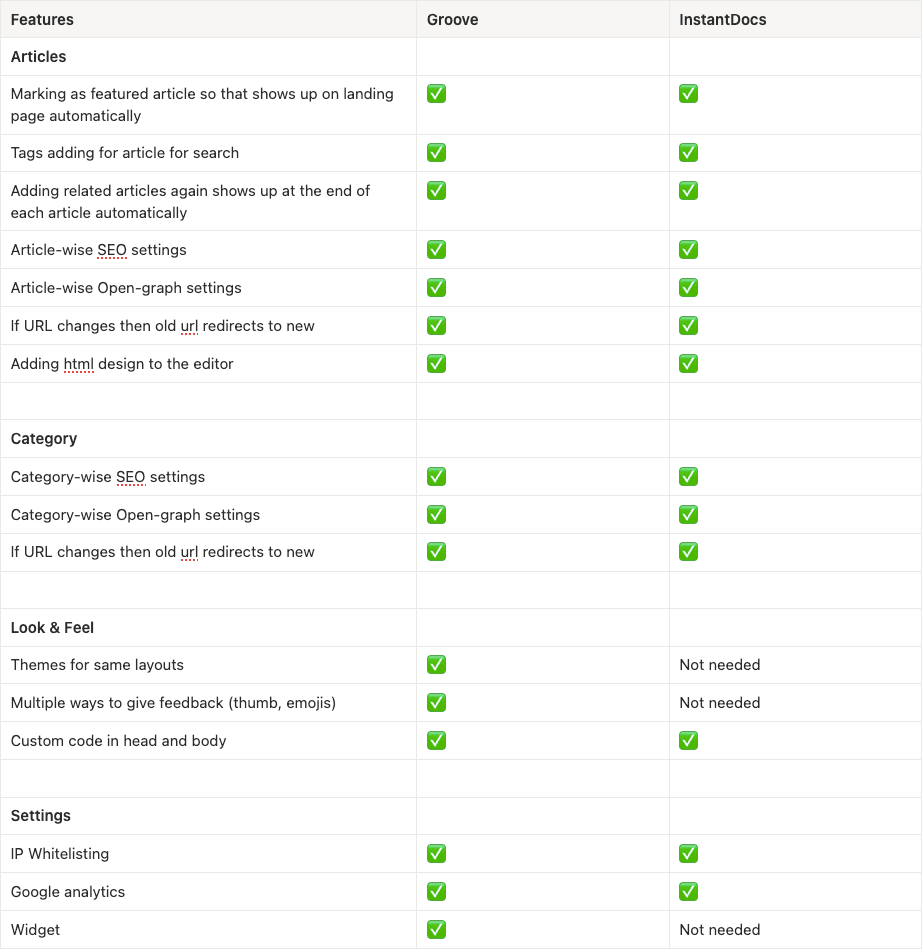
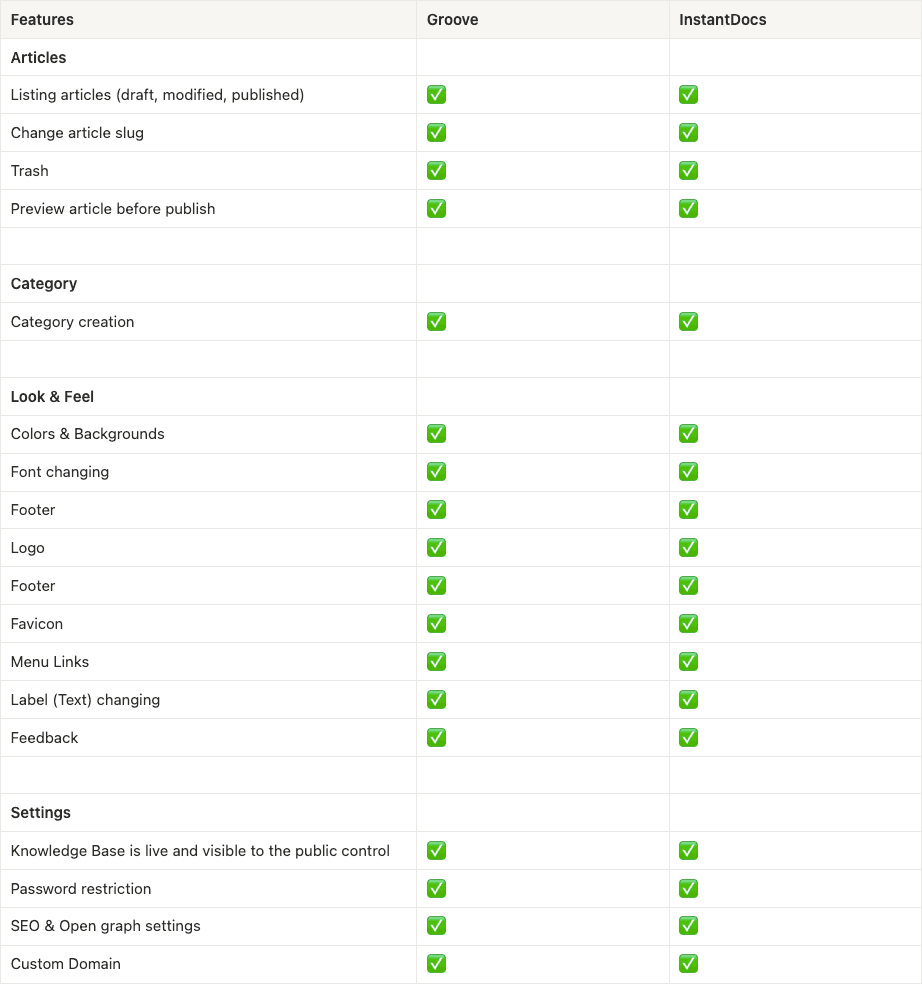
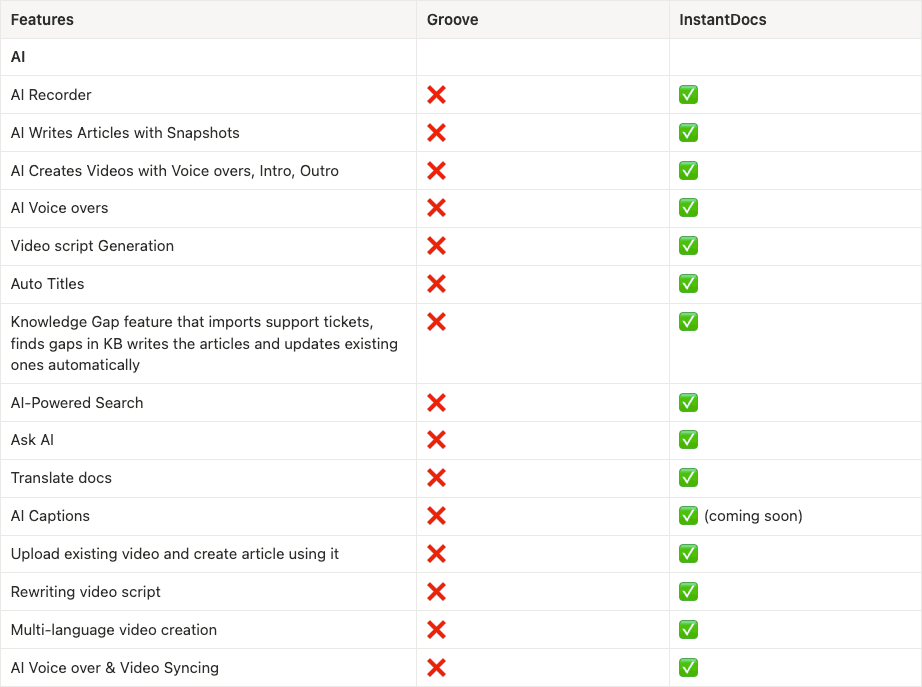
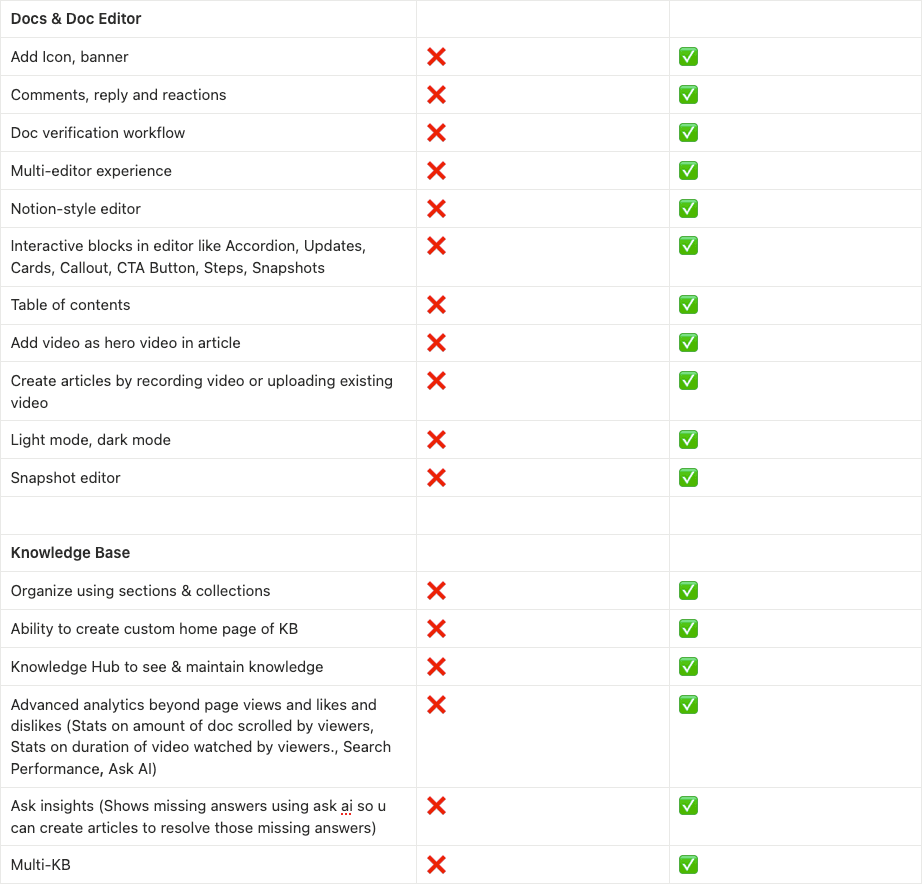
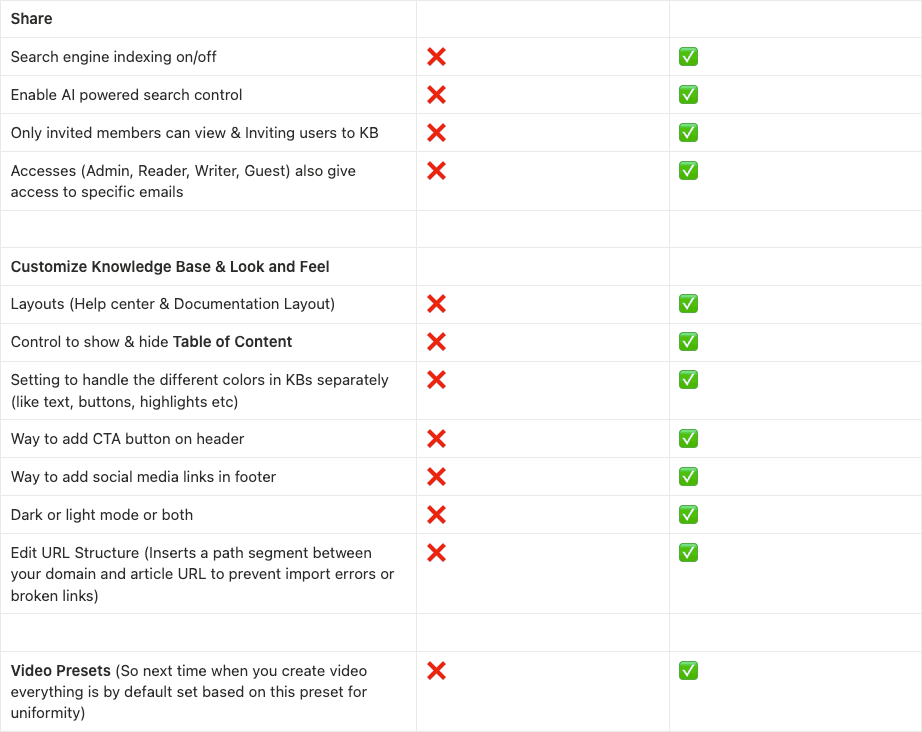
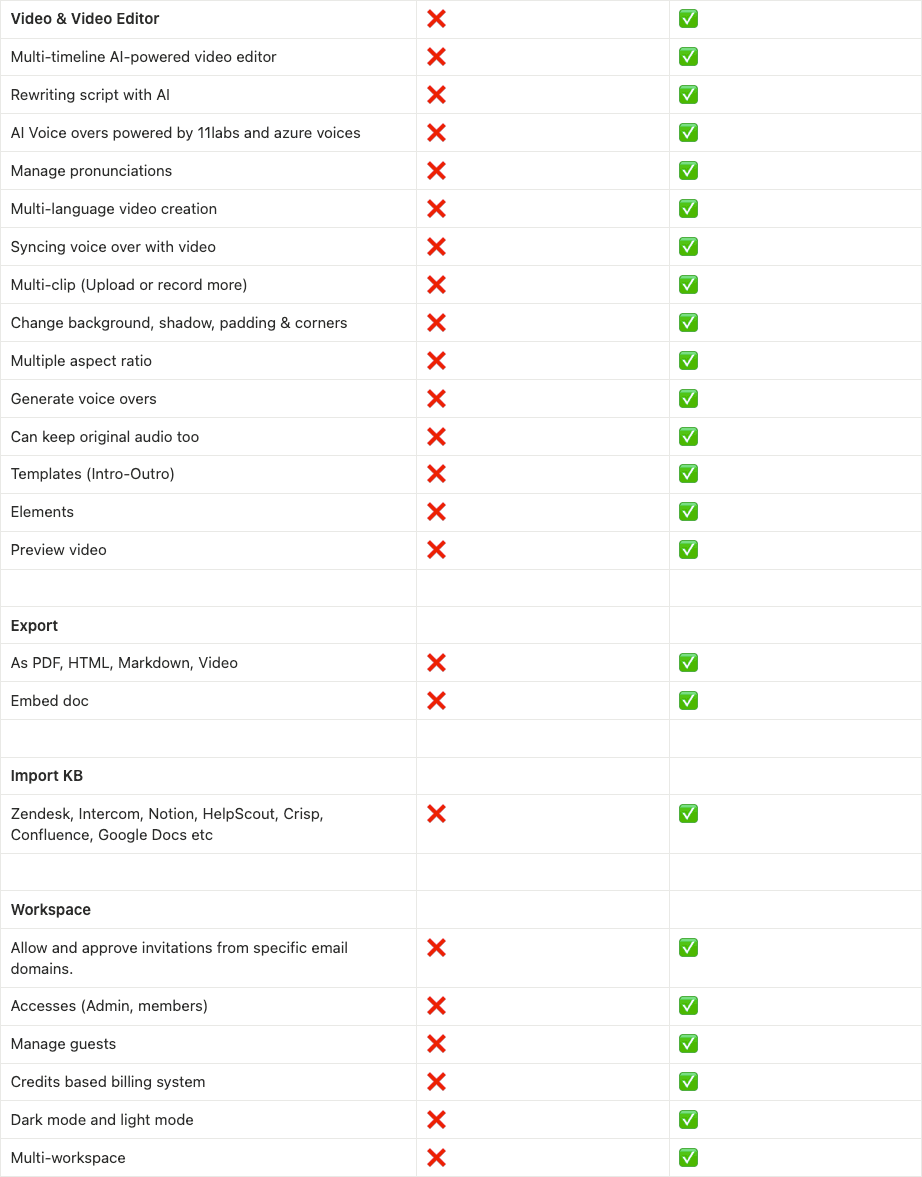
Migrating From Groove to InstantDocs
1. Start your migration
Log into your Groove account and open the Knowledge Base section. At the top of the page, click the banner that says Initiate Migration. If you do not see it, perform a hard refresh and try again.
2. Confirm what is being migrated
Select the Knowledge Bases you want to move and confirm the number of articles included. Approve the migration to begin the import into InstantDocs.
3. Review your imported content
Once the import completes, log into InstantDocs and review your articles, collections, and structure to confirm everything transferred correctly.
4. Adjust settings and customization
Check the Settings area to update your logo, colors, and layout. Review the Share Settings to choose whether your Knowledge Base is public or private.
5. Finalize your migration
After reviewing your content and settings, finalize the migration so InstantDocs becomes your active Knowledge Base.
6. Set up your custom domain (optional)
If you use a custom domain, go to Settings then Knowledge Base then Domains. Add your domain, then follow the CNAME instructions provided. Update the CNAME record with your domain host and delete your old Groove CNAME.
7. Begin using InstantDocs for all updates
All future documentation, updates, and new articles should now be created and managed in InstantDocs.
Migration FAQ
The migration path was designed to minimize effort for teams. You don’t lose content. You don’t suffer downtime. You don’t get stuck managing two systems.
Here's a complete FAQ that answers additional questions you might have about your migration.
If you have any questions, please contact customer support. We're here to support you.


